If someone asked you today to build a search system that handles text, images, audio recordings, video clips, and PDFs all in the same query, what would your pipeline look like? Until last week, the honest answer was: messy. You would need multiple embedding models, multiple vector indexes, transcription services for audio, OCR for documents, and a re-ranking layer to stitch the results together.
Google just collapsed all of that into a single API call.
What Is Gemini Embedding 2?
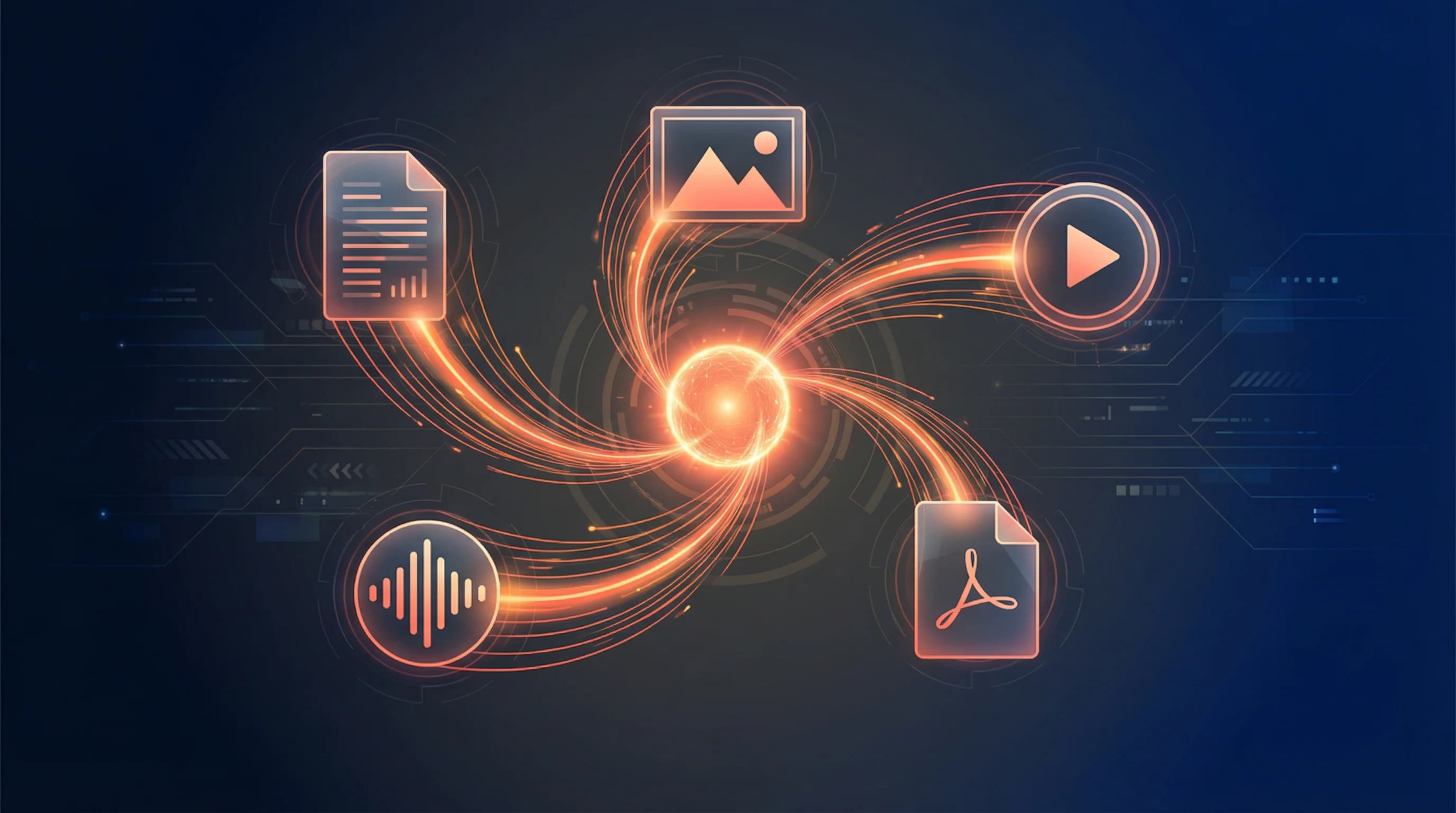
Gemini Embedding 2 is Google's first natively multimodal embedding model built on the Gemini architecture. It maps text, images, videos, audio, and documents into a single, unified embedding space. One model, one index, one query.
Here is what it supports:
- Text: Up to 8,192 input tokens
- Images: Up to 6 images per request in PNG or JPEG
- Video: Up to 120 seconds in MP4 or MOV format
- Audio: Native ingestion without transcription
- Documents: PDFs up to 6 pages, embedded directly
The key breakthrough is not just that it handles multiple modalities. It is that all modalities share the same vector space. A text description of a product and a photo of that product end up near each other. A voice recording describing a problem and a PDF documenting the solution are neighbors. This means you can write a text query and retrieve images, search with an image and find related videos, or use a voice recording to surface matching documents.
Why This Matters for RAG Pipelines
Retrieval Augmented Generation (RAG) is the backbone of most production AI applications. Your custom AI agent only knows what is in its training data. When it needs specific information, it retrieves it from a vector database, augments its context, and generates a better answer.
The problem has always been that real-world data is not just text. Instruction manuals have diagrams. Support tickets include screenshots. Training materials are recorded as videos. Sales collateral mixes text with images. Until now, handling this required a patchwork of models and indexes:
- A text embedding model for documents
- CLIP or SigLIP for images
- Whisper for audio transcription, then text embedding
- Separate vector stores for each modality
- A fusion layer to combine results
Each additional modality doubled the complexity. Gemini Embedding 2 eliminates this entirely. You embed everything with one model, store it in one index, and query it with one search. The practical impact is enormous: what used to take days of pipeline engineering now takes minutes.
Flexible Dimensions with Matryoshka Learning
The model incorporates Matryoshka Representation Learning (MRL), a technique that nests information at multiple scales within the same embedding. The default output is 3,072 dimensions, but you can scale down to 1,536 or 768 without needing a different model.
This matters for production systems where you need to balance accuracy against storage cost and query speed. If you are indexing millions of items and need fast approximate search, drop to 768 dimensions. If you need fine-grained semantic matching, use the full 3,072. Same model, same API call, just a parameter change.
Google recommends using 3,072, 1,536, or 768 for highest quality at each tier.
Benchmarks and Performance
Gemini Embedding 2 does not just add modalities. It also outperforms the previous text-only Gemini Embedding 001 on pure text benchmarks, including multilingual tasks across 100+ languages. It leads on text-to-image and image-to-text retrieval against comparable multimodal models.
But the real differentiator is coverage. No other single model handles text, images, video, audio, and PDFs with this level of quality. The closest alternatives cover two or three modalities at most.
Practical Use Cases
Here are concrete scenarios where this model changes the game:
1. Product Manuals and Technical Documentation
Drop a 68-page PDF into your pipeline. The model embeds both the text and the diagrams. When a user asks "how do I clean the filter?", they get the answer text and the relevant diagram side by side, without any custom image extraction logic.
2. Visual Search for Service Businesses
A roofing company uploads photos of every past project with metadata about cost, duration, and team size. When a new customer sends a photo of their damaged roof, the system finds the five most similar past projects and generates an estimate.
3. Video Knowledge Bases
Take a 30-hour university course or a library of training videos. Chunk them into 15-30 second segments, embed each segment, and suddenly you can search the entire video library with text queries like "which lesson covers gradient descent?" or even with an image of a specific diagram.
4. Multimodal Customer Support
Customers submit tickets with screenshots, voice messages, and text descriptions. All of it goes into the same embedding space. When a new ticket arrives, the system finds similar past tickets across all modalities and surfaces the resolution, regardless of whether the original solution was documented as text, a screenshot, or a voice note.
5. Content Discovery and Recommendation
Media companies with mixed content libraries (articles, images, video clips, podcasts) can build unified recommendation engines. A user who liked a video about cooking can be recommended related articles, podcast episodes, and image galleries, all from the same semantic search.
Getting Started
The model is available now in public preview through the Gemini API and Vertex AI. Here is a minimal example:
Each call returns a 3,072-dimensional vector that you can store in any vector database. Pinecone, Qdrant, ChromaDB, and Weaviate all have day-zero support.
Single vs Combined Embeddings
There is an important distinction in how you pass content:
- Separate embeddings: Pass a list of content items. You get one embedding per item. Use this when you want to search each piece independently.
- Combined embeddings: Pass multiple parts within a single content object. You get one embedding that represents the combination. Use this for composite content like social media posts (text + image) or product listings (description + photo).
What This Means for Builders
The shift here is architectural. Instead of building separate pipelines for each modality, you build one. Instead of maintaining multiple indexes, you maintain one. Instead of writing fusion logic to combine results from different searches, the model handles it.
For agencies and workflow automation builders, this opens up a new class of projects. Multimodal RAG used to be a multi-week engineering effort. Now it is something you can prototype in an afternoon and ship in a week.
The model is still in preview, which means things will improve. Video support will likely expand beyond 120 seconds. PDF support will handle longer documents. But even in its current form, Gemini Embedding 2 eliminates the most painful part of building production AI systems: making sense of data that does not fit neatly into text.
If you have been building RAG pipelines with text-only embeddings and wishing you could include images, video, and audio, the wait is over.