The standard advice on choosing an AI customer service agent is to compare the tools. Read any of the ten "best AI customer service agent" listicles that own the search results and you get the same feature grid: this one has sentiment analysis, that one speaks 50 languages, the other integrates with Zendesk out of the box.
That advice is backwards. The tool you pick is the least important decision you will make about your AI customer service agent, and treating it as the main one is why so many of these projects launch, disappoint, and get quietly switched off.
The model is a commodity. Every serious vendor is running a frontier LLM that can write a fluent, polite, on-brand reply. What separates an agent that actually resolves tickets from one that just produces nice-sounding text is not on any feature grid. It is what the agent is wired into, and none of the listicles talk about it because they are written by the tools.
This is the part they skip.
What an AI customer service agent actually is
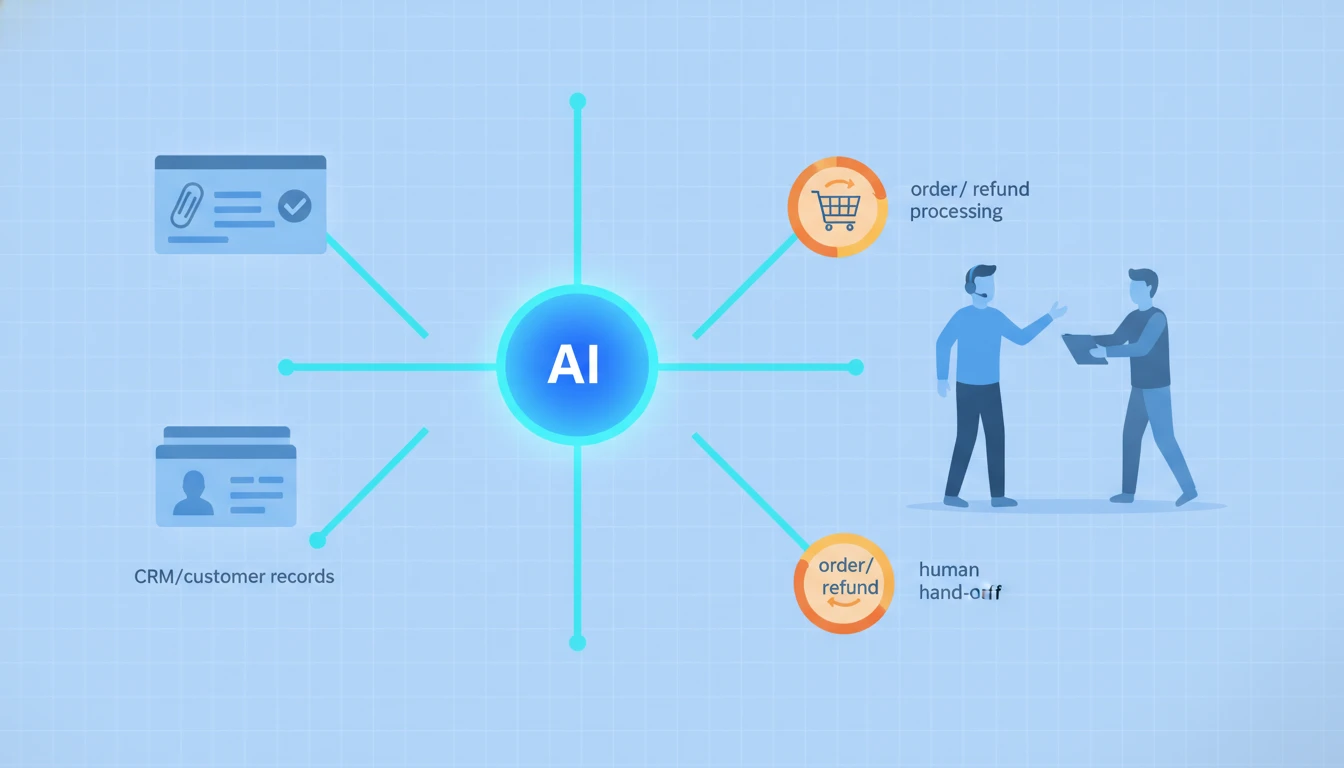
Strip away the branding and an AI customer service agent is three things stacked together: a language model that understands the customer, a set of connections to your business systems, and the authority to take action inside them.
That third part is what makes it an agent rather than a chatbot. A chatbot answers. An agent acts. Gartner draws exactly this line: where earlier bots were limited to generating text, agentic AI can act autonomously to complete tasks - navigate a system, cancel a membership, process a change - on the customer's behalf. Gartner projects that by 2029, agentic AI will autonomously resolve 80% of common customer service issues and cut operational costs by 30%.
Notice what that prediction is really about. It is not about better writing. It is about action. And action requires connection.
If you would rather skip straight to an agent built into your existing helpdesk and account systems from day one, that is what our AI automation service is built to deliver. But whether you buy, build, or partner, the rest of this guide is about the connections that decide the outcome.
Why the tool is the least important variable
Here is the test that exposes the whole category. Take any "best AI customer service agent" and ask it to answer this ticket:
Customer: "Where is my order? It was supposed to arrive yesterday and I need it for an event tomorrow."
An agent connected to nothing gives you a beautifully written non-answer: "I understand your frustration. Let me help you track that down. Could you please provide your order number?" It sounds human. It resolves nothing.
An agent connected to your order system reads the order the moment the customer is identified, sees the carrier delay, checks whether a replacement can still arrive in time, and either reships or offers a refund - inside one message. Same model. Same "AI customer service agent." Completely different outcome.
The difference was never the tool. It was the plumbing.
The four connections that decide everything
An AI customer service agent needs four things wired in before it can resolve a real ticket. Miss any one and the whole thing degrades to an expensive FAQ bot.
- The helpdesk. It has to live where your tickets live - Zendesk, Freshdesk, Gorgias, Intercom, or a shared inbox - reading the conversation history and writing back updates. Without this it cannot see context or close a loop.
- The account data. Your CRM, order system, subscription platform, or billing tool holds the answer to most real tickets. "Where is my order," "cancel my plan," "why was I charged twice" - none of these can be answered from a help center article. The agent has to look the customer up.
- The ability to act. Reading is not resolving. To actually close a ticket the agent needs permission to do the thing: issue the refund, change the address, extend the trial, reset the access. This is where most deployments get timid and, as a result, useless.
- The human handoff. When the agent hits something it should not handle, it has to escalate cleanly - passing the full conversation and account context to a person, not dumping the customer back to the start of a queue.
Get these four right and a modest agent on a mid-tier model outperforms a brilliant one bolted onto an empty inbox. Get them wrong and no amount of feature-grid shopping saves you.
The resolution rate number, and what it hides
Every vendor quotes a resolution rate. It is the headline metric of the whole industry. And it is measured differently by almost everyone, which makes cross-vendor comparison close to meaningless.
Consider how the pricing itself defines it. Intercom's Fin charges 0.99 dollars per resolution, and defines a resolution as: no further help is requested after the agent's last answer. That is a reasonable definition, but read it closely. A customer who gives up in frustration and never replies counts the same as a customer whose problem was genuinely solved. The metric cannot tell the difference between "resolved" and "abandoned."
This is not a knock on any one vendor. It is a warning about how you evaluate them. When a demo shows you a 70% resolution rate, the only question that matters is: resolved by whose definition, measured how, on which tickets? A tool that "resolves" 70% of FAQ questions and a tool that resolves 70% of order and billing tickets are not remotely the same product, even though the number is identical.
Buy versus build: the integration gap decides
The buy-versus-build question for an AI customer service agent comes down to one thing, and it is not budget. It is whether a packaged tool can reach every system your tickets actually touch.
| Path | Best when |
|---|---|
| Packaged tool | Your helpdesk and account systems are all on its integration list, and your resolution steps fit its workflow |
| Custom build | The agent must reach systems the vendor never integrated, or your process spans support plus billing, ops, or sales |
Packaged agents are extraordinary when your stack is mainstream. If you run Zendesk plus Shopify plus Stripe, most tools connect to all three and you can be live in days. The moment your answer lives in a system the vendor never built for - a custom internal tool, an older ERP, a homegrown subscription database - the packaged agent hits a wall exactly where your hardest tickets live.
That gap is where a workflow-automation layer earns its place. It bridges the agent to whatever you actually run, so the agent is not limited to the vendor's integration catalog. This is the same buy-versus-build logic that governs an AI sales agent or a voice AI agent for phone support: the connections, not the model, decide whether it works.
What it costs, honestly
The sticker price is the easy part to compare and the wrong thing to optimize.
Outcome pricing like Fin's 0.99 dollars per resolution looks cheap next to a human handling the same ticket, and for routine, high-volume tickets it usually is. But the real cost of an AI customer service agent is the integration and maintenance, not the per-resolution fee.
As an illustration only: imagine you handle 3,000 tickets a month and an agent resolves 50% of them at roughly 1 dollar each. That is 1,500 dollars in resolution fees for 1,500 tickets your team no longer touches. The math looks unbeatable - until you add the build and upkeep of connecting it to a non-standard order system, which might be a one-time project plus ongoing tuning. Example math, your numbers will differ, but the point stands: the resolution fee is the visible cost and the integration is the real one.
This is also why "cheap platform" never means "cheap project." The Gartner 30% cost reduction is real, but it accrues to teams that wired the agent into their systems properly, not to teams that bought the cheapest tool and pointed it at a help center.
How to evaluate a tool or a partner
Whether you are demoing a product or hiring someone to build one, the same four tests cut through the pitch:
- Make it resolve a real account ticket, live. Not an FAQ answer. Have it look up a real order or account and take an action, end to end. If the demo is only questions and answers, you are looking at a chatbot with better marketing.
- Name your exact systems. Ask specifically whether it connects to the helpdesk and account tools you already run. Vague "100+ integrations" is a red flag until yours is on the list.
- Watch it fail. Give it a ticket it should not handle - an angry customer, an edge case, a request outside policy. A good agent escalates cleanly with context. A brittle one guesses, loops, or invents an answer.
- Ask who owns it in month three. When your return policy changes or you add a product line, who updates the agent? The tool that shipped and vanished is the tool that drifts out of sync with reality.
For a broader shortlist of platforms to run these tests against, our roundup of the best AI automation tools is a good starting grid - but judge every option on the four tests above, not on the feature comparison. And if you are weighing whether you even need an agent versus a simpler bot, our explainer on the difference between an AI agent and a chatbot draws the line clearly.
The next step
If you take one action after reading this, make it this: list every system that holds the answer to your top five ticket types. Your helpdesk, your order or CRM system, your billing tool, whatever else. That list, not a feature grid, is the real specification for your AI customer service agent, because those are the connections it will live or die by.
Once you have that list, you can judge any tool honestly - it either reaches every system on it or it does not - and you will know immediately whether a packaged agent fits or whether you need one wired in.
If you would rather hand that off, talk to our AI automation team and we will map exactly where your ticket answers live, then build an AI customer service agent that reads, acts, and escalates across those systems - not one that writes polite replies to questions it cannot actually resolve.