The global CRM market is on track to hit $163.16 billion by 2030, up from $73.4 billion in 2024, growing at nearly 15 percent a year, according to Grand View Research.
That is a staggering amount of money spent on software whose core job - remembering your customers and following up with them - most businesses were doing badly with a spreadsheet the week before. So when you search "CRM examples," you are really asking one of two questions, and it is worth being honest about which.
Either you want to see the actual software people mean when they say CRM, so you can pick one. Or you want examples of what a CRM does day to day, so you can decide whether you need one at all.
This guide answers both. Then it covers the part every other "CRM examples" list skips: the layer of automation on top of the CRM that decides whether the tool earns its price or just sits there as an expensive contact list.
What people actually mean by "CRM examples"
The search results for this term are split down the middle, and that tells you something.
Half the top pages are product lists - here are 12 or 25 CRM tools, pick one. The other half are use-case lists - here is how CRM is used in real estate, in support, in sales. Google cannot decide which you want, so it shows both.
The truth is you need both to make a good decision. A list of software with no use cases is a shopping catalog with no sizing chart. A list of use cases with no software is a lecture. So we will do the products first, the use cases second, and then the part that actually separates a CRM that works from one that gets abandoned.
Part 1: 8 CRM software examples, grouped by who they are for
These are the systems people point to when they say "CRM." They are not interchangeable. The right example for a 500-person sales org is the wrong one for a three-person agency.
Enterprise and mid-market
- Salesforce - the market leader and the default answer to "name a CRM." Endlessly customizable, huge app ecosystem, priced and built for larger teams. Salesforce itself reports that CRM can lift sales productivity by up to 34 percent and forecast accuracy by up to 42 percent.
- Microsoft Dynamics 365 - deep integration with Outlook, Teams, and the rest of Microsoft 365. A natural fit for companies already living in that stack.
Small business and sales-first teams
- HubSpot - built its name on inbound marketing and a genuinely useful free tier. The most common on-ramp for a business buying its first CRM.
- Pipedrive - a sales-rep-first tool organized around a visual pipeline. Small teams that just want to see and move deals tend to love it.
- Zoho CRM - affordable, multichannel, and part of the much wider Zoho suite if you want everything under one login.
- Freshsales - AI lead scoring and omnichannel outreach aimed squarely at growing SMBs.
All-in-one and agency platforms
- Keap - bundles CRM with marketing automation for small businesses that want the two things stitched together out of the box.
- GoHighLevel - an all-in-one platform that combines CRM, funnels, email, SMS, and workflow automation in a single tool. Its real differentiator is that agencies can white-label the whole thing and resell it as their own software. This one is missing from almost every generic CRM examples list, which is odd, because it is the example that matters most for agencies and service businesses.
If you are choosing between the agency-focused options, our honest GoHighLevel review and our GoHighLevel vs HubSpot comparison go deeper on where each one fits.
Part 2: 6 CRM use-case examples, by what the CRM actually does
Software names are the easy half. Here is the other half - concrete examples of what a CRM does once it is running. These are the jobs you are actually buying.
1. Lead capture and routing. A prospect fills in a form. The CRM instantly creates a contact, tags where it came from, and assigns it to the right rep by territory or round-robin. No lead sits in an inbox waiting to be noticed.
2. Follow-up automation. The moment that lead lands, an automated sequence of emails or texts starts - a welcome, a reminder, a nudge to book a call - and stops the second the person replies or books. This is the single highest-return thing a CRM does, and the one most often left switched off.
3. Pipeline and deal tracking. Every opportunity sits in a stage - new, qualified, proposal, closed. The team sees exactly what is stuck and where. Deals stop dying quietly in someone's memory.
4. Customer service and ticketing. After the sale, the same contact record becomes the support history. Tickets open, route, and close against a record that already knows who the customer is and what they bought.
5. Sales forecasting. Because every deal has a stage and a value, the CRM can project the month before it happens. That is where the 42 percent forecast-accuracy figure above comes from - the math only works if the data is actually in the system.
6. Marketing campaigns. Segment the contact list, send the campaign, track who opened and clicked, feed the warm ones back to sales. The CRM is the memory that makes the campaign smarter than a blast.
The layer every CRM examples list forgets
Here is what almost no "CRM examples" article tells you, and it is the whole ballgame.
A CRM out of the box is a filing cabinet. It stores contacts beautifully. It does nothing on its own. Every use case in Part 2 - the routing, the follow-up, the forecasting - only happens if someone builds the automation that makes it happen. Buy Salesforce, do nothing, and you have paid enterprise prices for a spreadsheet with a nicer login.
This is why two businesses on the identical CRM get wildly different results. One wired up lead routing, follow-up sequences, and cross-system syncs. The other imported their contacts and called it done. Same software. Opposite outcome.
The gap is the automation layer, and it comes in three flavors:
- Fixed-rule automation - "when a lead comes in, assign it and start the sequence." This is core workflow automation, and every serious CRM can do some of it natively.
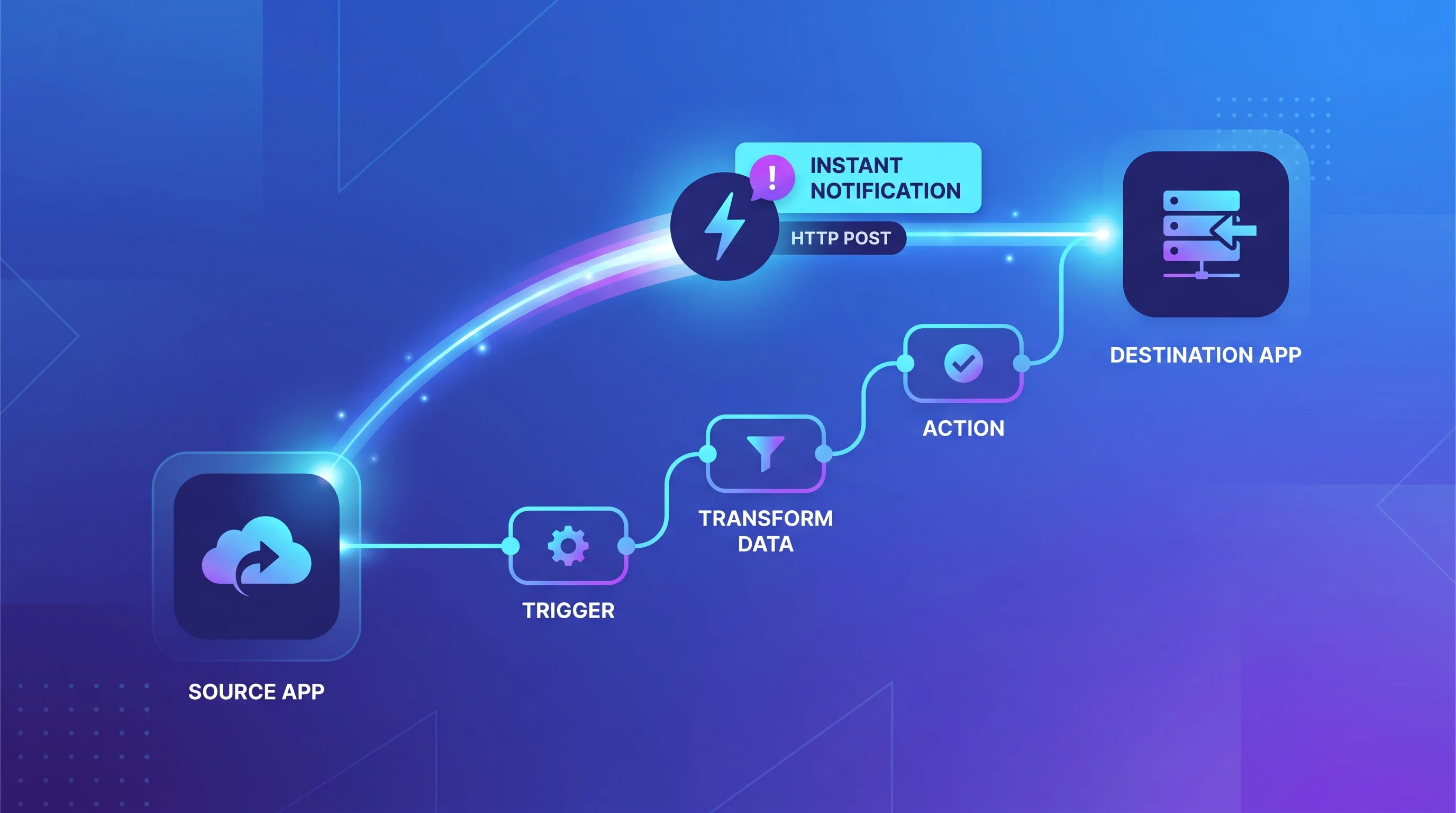
- Cross-system automation - the CRM talking to your calendar, your invoicing, your inventory, your support tool, so a record in one place updates everywhere. This usually lives outside the CRM.
- AI-driven steps - the parts that need judgment rather than a fixed rule: drafting the personalized follow-up, scoring the lead, summarizing the call, deciding the next best action. This is where AI automation turns the CRM from a record-keeper into something that actually works the pipeline.
Most CRM buyers evaluate the software and completely ignore this layer. Then they wonder why the expensive tool changed nothing. The tool was never going to change anything on its own.
How to actually choose, in three questions
Skip the feature grids. Answer these instead.
1. How much marketing and automation do you want in the box? If the answer is "a lot, and I do not want to bolt six tools together," an all-in-one like GoHighLevel or Keap beats a pure CRM you then have to extend. If you already have a marketing stack you love, a focused tool like Pipedrive or Salesforce fits better.
2. Are you using it yourself or reselling it? Agencies and consultants who want to put their own brand on the platform and sell it to clients have essentially one strong example to look at, and it is the white-label CRM route.
3. Who is going to build the automations? This is the question that decides success, and it has nothing to do with which logo you pick. If nobody owns the follow-up sequences and the integrations, any CRM on this list will underperform a spreadsheet with a disciplined human behind it.
Key takeaways
- "CRM examples" is two questions. One is which software to buy. The other is what a CRM does. You need both answers to choose well.
- The right software example depends entirely on you. Salesforce for enterprise, HubSpot or Pipedrive for small sales teams, GoHighLevel or Keap for all-in-one and agency use. There is no universal best.
- Every use case is a workflow. Lead routing, follow-up, forecasting - the value is in the actions that fire, not the contacts sitting in a table.
- The automation layer is the whole game. Two businesses on the same CRM get opposite results because one built the automations and one did not.
- Pick the tool second. Decide who will build and own the workflows first. That single choice predicts the outcome better than the software does.
The most useful CRM example is not a product at all - it is a business whose CRM actually runs the follow-up, every lead, every time, without anyone remembering to. If you want that built on a platform designed for it, that is exactly what our GoHighLevel automation team does: we take your lead path, map it into the CRM, and wire up the capture, routing, and follow-up so the software finally earns the line item.