Every list of workflow automation examples reads like a wish list. Fifteen shiny use cases, a stock stat about saving 60 percent of your time, and a button to start a free trial. None of them tell you the part that actually matters: which of these examples quietly break once real data hits them, and which ones are not worth automating in the first place.
This guide fixes that. Below are 17 workflow automation examples grouped by department, the ones we build most often for clients. But each one comes with a verdict: is it rule-based or does it need an AI agent, where does it tend to break in production, and is it even worth the maintenance cost. That last column is the one every other article skips.
If you want the strategy layer behind all of this, our workflow automation services page covers how we score and sequence these builds. This post is the field guide to the examples themselves.
What a workflow automation example actually is
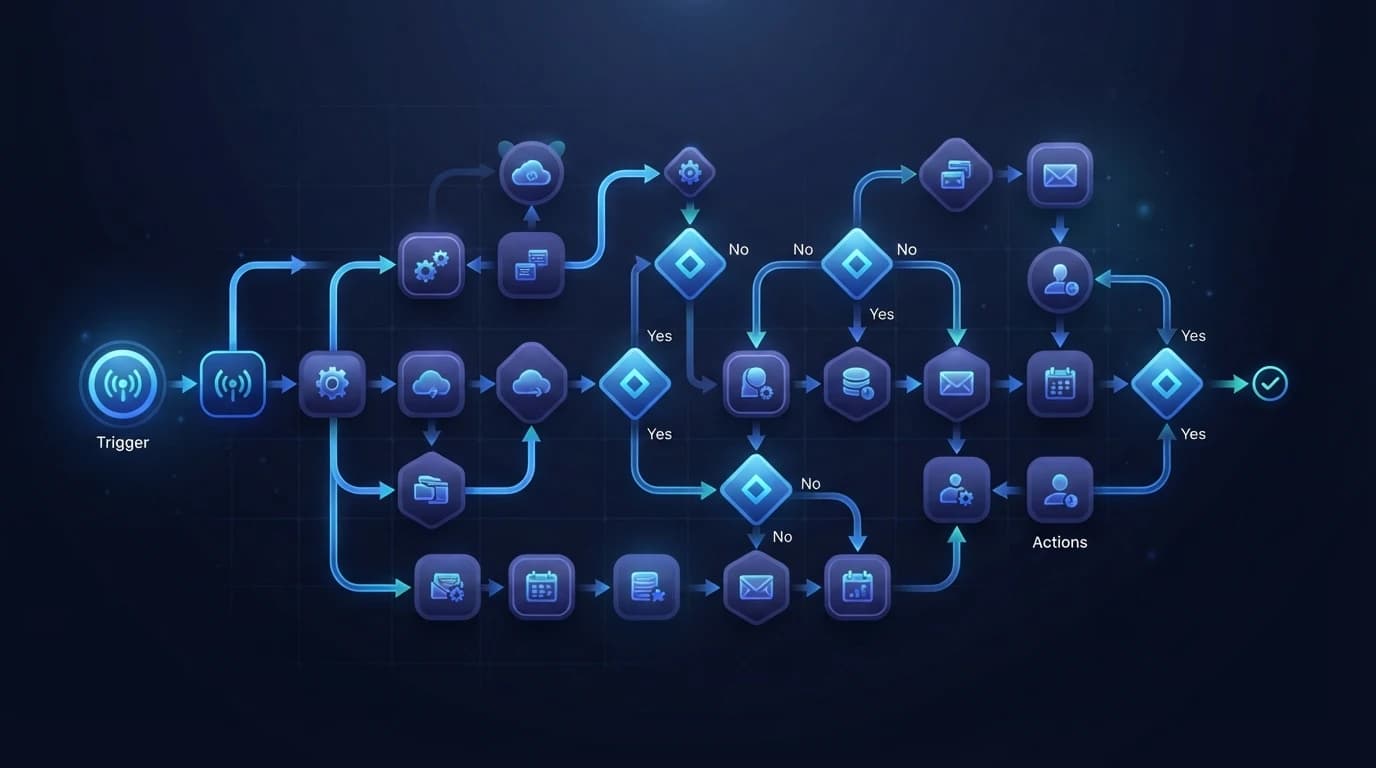
Strip away the marketing and every workflow automation example is the same three-part shape: a trigger starts it, a condition decides what happens, and an action does the work. A form submission triggers, a rule checks the lead value, and the action routes it to a rep. That is the whole grammar.
The interesting question is never "can this be automated." Almost anything can. The question is whether the automation stays correct when the input gets messy, the volume climbs, or an upstream API changes its response. That is where most of these examples fall apart, and it is why each one below carries a verdict instead of a gold star.
Two more terms worth pinning down. Rule-based automation follows fixed logic you write in advance: if X then Y. It is fast, cheap, and predictable, but it shatters on ambiguity. Agentic automation hands the judgment to an AI model that reads unstructured input and decides. It is flexible but non-deterministic, which means it needs a human reviewing the output when the stakes are high. Knowing which one an example needs is half the battle, and it maps closely to the difference between an AI agent and a chatbot.
Sales and marketing workflow automation examples
This is the department where automation pays back fastest, because the tasks are frequent, repetitive, and tied directly to revenue.
1. Lead capture and enrichment
A web form submits, and the workflow creates a CRM record, then enriches it with company size, industry, and job title pulled from a data provider.
- Rule-based or agentic: Rule-based. The mapping is fixed.
- Where it breaks: Enrichment providers return blanks or stale data on smaller companies, so downstream scoring silently misfires. Always store a "data confidence" flag.
- Worth it: Yes. This is table stakes and almost never regretted.
2. Lead scoring and qualification
Incoming leads get scored against fit and intent signals, and only the ones above a threshold reach a human.
- Rule-based or agentic: Hybrid. Simple point systems are rule-based, but scoring free-text form answers or intent from an email needs an agent.
- Where it breaks: Static point systems drift. The rules you wrote in January no longer match June's pipeline, and nobody notices until the sales team stops trusting the score.
- Worth it: Yes, if you commit to reviewing the scoring logic quarterly. A neglected lead score is worse than none.
3. Lead routing and assignment
Qualified leads get assigned to the right rep by territory, deal size, or round-robin.
- Rule-based or agentic: Rule-based for clean inputs, agentic when the routing depends on nuance in the request text.
- Where it breaks: Round-robin ignores rep capacity and time zones, so your best lead lands with someone on vacation. Build in an availability check.
- Worth it: Absolutely. Speed-to-lead is one of the highest-leverage automations that exists.
4. Follow-up and nurture sequences
A lead that goes cold gets dropped into a timed email or SMS sequence until it re-engages or exits.
- Rule-based or agentic: Rule-based for the sequence, increasingly agentic for the message content.
- Where it breaks: Static sequences feel robotic and keep firing after a prospect has already replied through another channel. You need a global "stop on reply" that watches every channel, not just the one that started the sequence.
- Worth it: Yes, with guardrails. This is where a badly built automation actively damages your brand, so treat the exit conditions as seriously as the messages.
5. Quote and proposal generation
A won opportunity triggers a document generator that fills a branded quote, routes it for approval, and sends it for e-signature.
- Rule-based or agentic: Rule-based.
- Where it breaks: Custom pricing and one-off discounts are exactly the cases templates cannot handle, so reps route around the system and it rots.
- Worth it: Yes for standardized offers, no for heavily bespoke deals. Automate the 80 percent and let humans own the exceptions.
HR and people operations examples
HR workflows are high-stakes and low-frequency, which flips the usual math. Getting one wrong is expensive, and the volume rarely justifies a fragile build.
6. Employee onboarding
A signed offer triggers account creation across email, payroll, and the tools that role needs, plus a welcome sequence and first-week schedule.
- Rule-based or agentic: Rule-based, driven off a role template.
- Where it breaks: This is the classic silent-failure automation. If step four errors, you get an orphaned account with permissions and no owner, a security and compliance problem nobody sees for months. Every step needs a failure alert, not just a success path.
- Worth it: Yes, but only with real error handling. An onboarding automation without alerting is a liability, not an asset.
7. Time-off and approval routing
A leave request routes to the right manager, checks the balance, updates the calendar, and notifies the team.
- Rule-based or agentic: Rule-based.
- Where it breaks: Approval chains assume the manager is available. When they are out, the request stalls with no escalation. Always add a timeout that escalates to a backup approver.
- Worth it: Yes. Low complexity, clear payback, and employees notice the speed.
8. Offboarding and access revocation
A departure triggers immediate revocation of every system credential and reassignment of ownership.
- Rule-based or agentic: Rule-based.
- Where it breaks: The map of "every system this person could access" is never complete, so shadow tools get missed. This is a security example first and a convenience example second.
- Worth it: Yes, and arguably mandatory for anything above a handful of employees. Manual offboarding is where breaches start.
Finance and back-office examples
9. Invoice processing and accounts payable
An incoming invoice gets its data extracted, matched to a purchase order, routed for approval, and queued for payment.
- Rule-based or agentic: Agentic on extraction, rule-based on routing. Reading a PDF invoice from a hundred different vendors is exactly the unstructured-input problem agents were built for.
- Where it breaks: Rule-based extraction on varied invoice layouts fails constantly, which is why so many AP automations disappoint. This is the example most worth pairing with AI, and it is a core piece of the intelligent AI automation work we do.
- Worth it: Yes, at volume. Below roughly 50 invoices a month, the build and maintenance can outweigh the manual hours.
10. Expense report capture and approval
A submitted receipt gets its amount and category read, checked against policy, and routed or flagged.
- Rule-based or agentic: Hybrid. Reading the receipt is agentic, applying the policy is rule-based.
- Where it breaks: Policy edge cases and out-of-policy exceptions still need a human, so design the flag path as carefully as the happy path.
- Worth it: Yes for teams above a certain size, otherwise a spreadsheet is genuinely fine.
11. Contract generation and e-signature
A closed deal generates the contract from a template, routes for legal review if it crosses a threshold, and sends for signature.
- Rule-based or agentic: Rule-based, with an agentic review step for non-standard clauses.
- Where it breaks: Auto-skipping legal review to save time is how a bad clause gets signed. The threshold that triggers human review is the most important line in the whole workflow.
- Worth it: Yes, with a conservative review trigger.
IT and customer support examples
12. Support ticket triage and routing
An incoming ticket gets classified by topic and urgency, then routed to the right queue or agent.
- Rule-based or agentic: Agentic. Classifying free-text customer messages is a textbook agent job that keyword rules do poorly.
- Where it breaks: Keyword-based routing mislabels anything phrased unusually, sending an angry churn risk to the wrong queue. An AI classifier handles this far better, but it still needs a confidence threshold that routes uncertain tickets to a human.
- Worth it: Yes at any real ticket volume.
13. Tier-1 response and deflection
Common questions get an automated answer drawn from your help docs, with a clean handoff to a human when the model is unsure.
- Rule-based or agentic: Agentic.
- Where it breaks: A confident wrong answer is worse than no answer. Without a strong "I am not sure, let me connect you" path, deflection turns into customer anger.
- Worth it: Yes, if and only if the escalation path is excellent. This is not a set-and-forget build.
14. Incident escalation
A monitoring alert that crosses a severity threshold pages the on-call engineer, opens a ticket, and posts to the incident channel.
- Rule-based or agentic: Rule-based.
- Where it breaks: Over-tuned alerts create noise, and noisy alerts get muted, which defeats the entire purpose. Tune thresholds ruthlessly.
- Worth it: Yes. The cost of a missed critical alert dwarfs the build.
Operations and cross-team examples
15. Data sync across systems
A record created or updated in one system propagates to the others so your CRM, billing, and support tools stay aligned.
- Rule-based or agentic: Rule-based.
- Where it breaks: This is the highest-maintenance example on the list. Every API change upstream can break the sync silently, and two-way syncs can create loops that overwrite good data. Add change detection and a reconciliation check.
- Worth it: Often yes, but budget for ongoing maintenance. This is not a one-time build.
16. Customer onboarding sequences
A new signup triggers a welcome flow, provisions the account, schedules check-ins, and tracks activation milestones.
- Rule-based or agentic: Rule-based for the sequence, agentic if you personalize based on usage.
- Where it breaks: Generic onboarding ignores what the customer actually did, so it feels like spam. Tie steps to real activation events, not just elapsed days.
- Worth it: Yes. Activation is where retention is won or lost.
17. Lead routing between agency and client systems
For agencies, inbound leads sync from marketing into a client's CRM, get assigned, and trigger the first outreach, often inside a platform like GoHighLevel.
- Rule-based or agentic: Rule-based, occasionally agentic for message drafting.
- Where it breaks: Multi-account setups drift as each client tweaks their own pipeline stages. Standardize with a snapshot rather than rebuilding per client. Our GoHighLevel automation work leans heavily on this pattern.
- Worth it: Yes for agencies, because the same workflow multiplies across every client account.
When you should NOT automate a workflow
Here is the section none of the listicles include, and it will save you more money than any example above.
Do not automate a workflow when:
- It runs rarely. A quarterly process that takes an hour is 4 hours a year. A build plus maintenance will never pay that back. Do it by hand.
- It changes constantly. If the logic shifts every month, you will spend more time rewriting the automation than you ever saved. Wait until the process stabilizes.
- A silent failure costs more than the labor. If a broken run creates a compliance gap, a security hole, or a bad customer experience, and it can fail without anyone noticing, the manual version is safer until you can afford real monitoring.
- The process itself is broken. Automating a bad workflow just makes it fail faster and at scale. Fix the process first. We wrote a full workflow optimization guide on exactly this order of operations.
Rule-based or agentic: the decision in one line
Across all 17 examples, the choice follows a simple rule. Use rule-based automation when the input is structured and the consequence of an error is high, because you want predictability. Use an AI agent when the input is unstructured or ambiguous and a human reviews the output, because you want flexibility.
Most real workflows are a hybrid: an agent reads the messy part (a PDF, a customer message, a free-text field) and hands a clean, structured result to deterministic rules that do the rest. If you want to go deeper on where agents fit, the best AI automation tools breakdown and the Make vs Zapier comparison both map which platforms handle which style.
The ROI math nobody shows you
Every article cites a borrowed stat. Here is the actual break-even formula.
Take the minutes one run consumes, multiply by how often it runs per month, and multiply by your loaded hourly cost. That is your monthly manual cost. Then estimate the build cost once plus a monthly maintenance tax, which for anything touching a live API is real and recurring.
A workflow that runs 200 times a week and saves 4 minutes each run reclaims over 13 hours a week, nearly two full workdays. That pays back almost any build. A workflow that runs 10 times a month and saves 5 minutes reclaims under an hour. That one is a hobby project, not a business case. The frequency is doing all the work in this equation, which is why every verdict above weighs it so heavily.
Key takeaways
The point of a workflow automation examples list is not to inspire you to automate everything. It is to help you pick the few workflows where automation genuinely pays, build them with real error handling, and leave the rest alone.
Match the tool to the input: rules for structured data, agents for ambiguity, and a human review step wherever a silent failure would hurt. Chase frequency, design your exit conditions and failure alerts first, and never automate a process you have not fixed.
If you want a team that scores your processes, builds the automations that survive production, and maintains them as your APIs change, that is exactly what our workflow automation services are built to do. Start with the one workflow that is quietly costing you the most, and let it earn the budget for the next.